Automatic entries
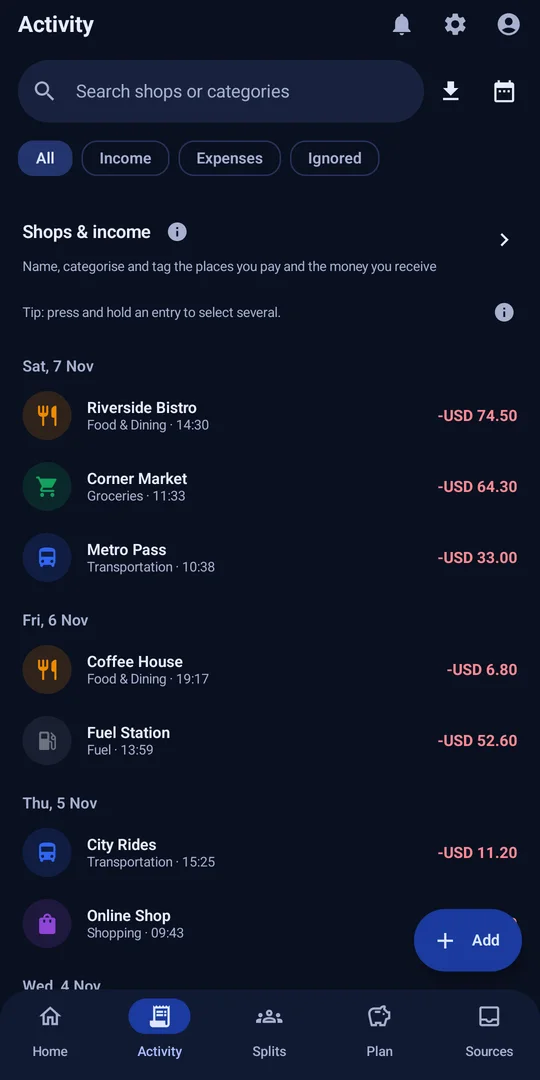
Payments become entries by themselves, with the shop, amount, date and a suggested category. You only step in when something is new.
MySpend builds a clear picture of your money for you. Keep budgets and bills on track, and share costs with friends, all in one simple app that keeps your entries on your phone.
What you get
MySpend keeps the work small, so tracking your money stops being a chore.
Payments become entries by themselves, with the shop, amount, date and a suggested category. You only step in when something is new.
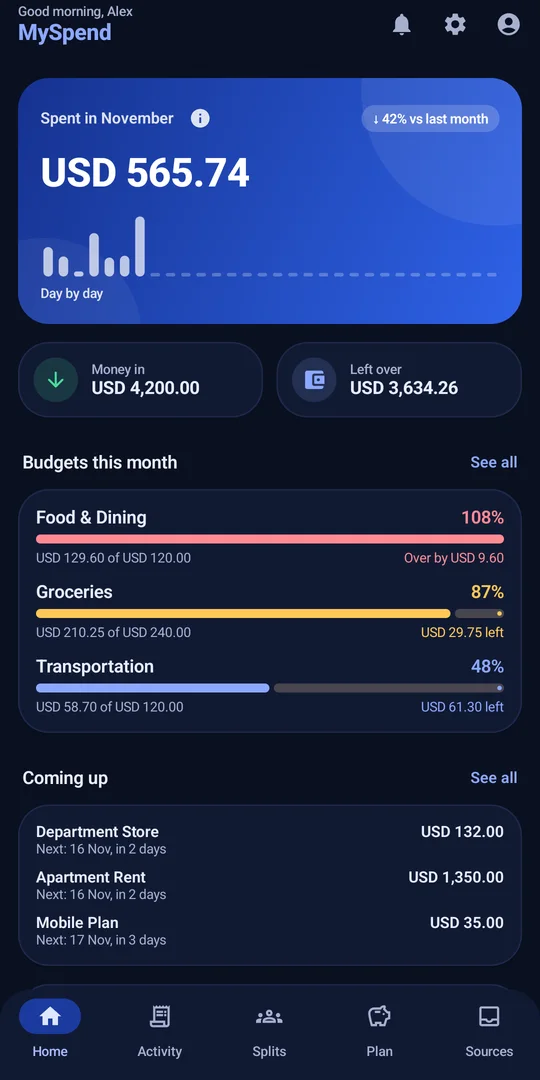
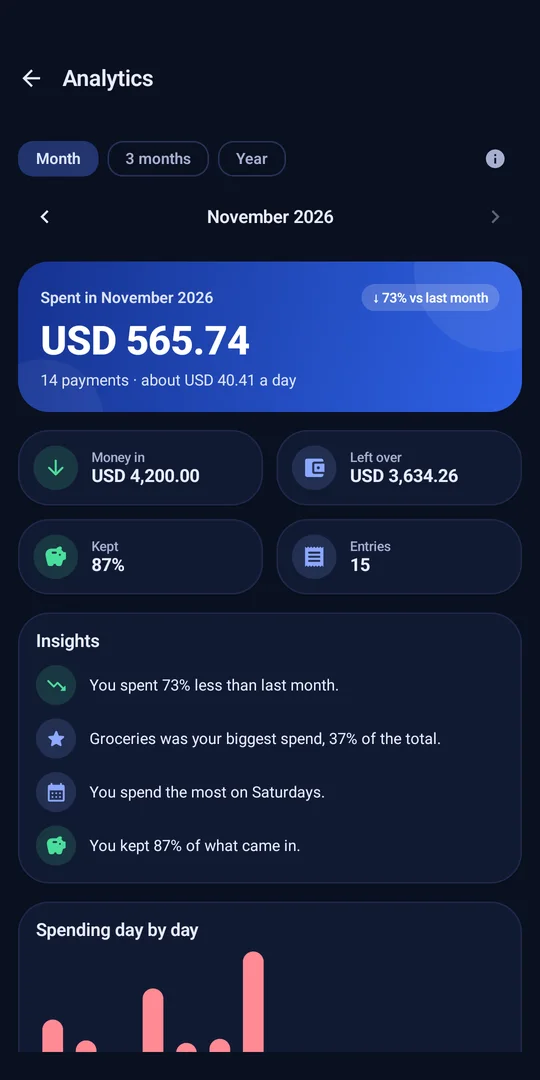
See what you spent this month, what came in, and what is left, with a day-by-day view and simple charts.
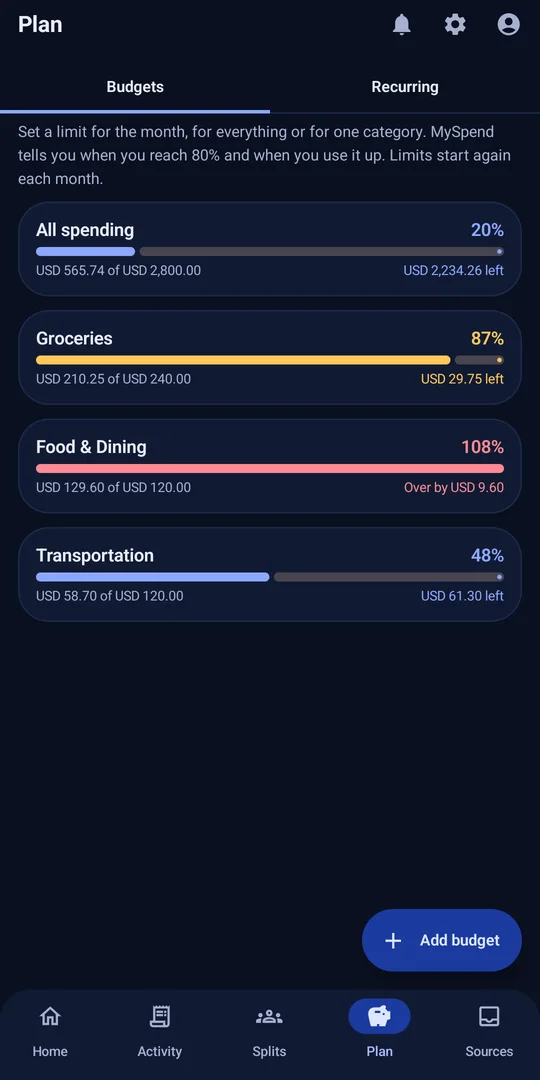
Set a limit for the month or for a category. MySpend tells you when you reach 80% and when you use it up.
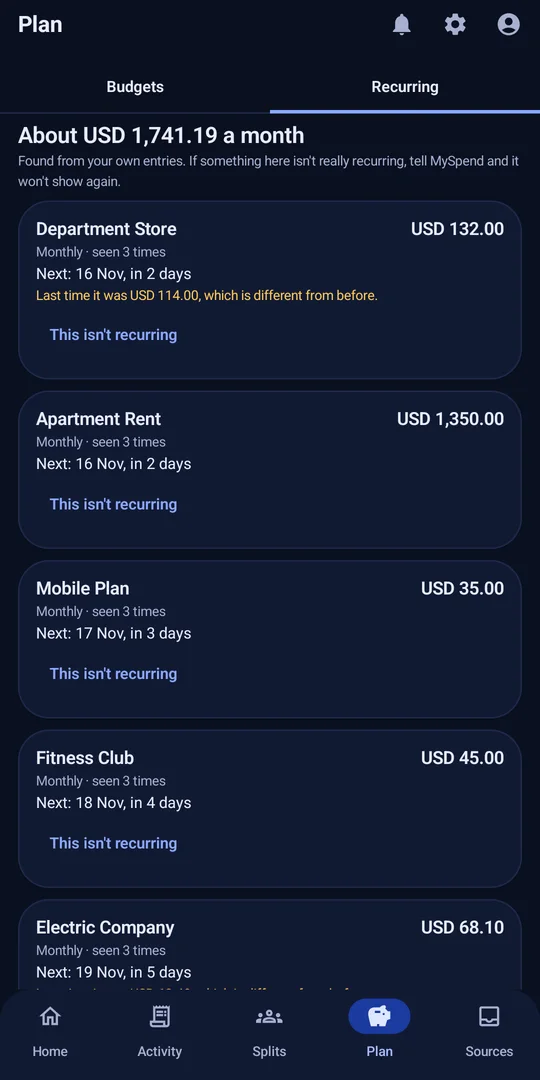
MySpend spots payments that repeat, like rent, subscriptions and utilities, and shows what is coming up next.
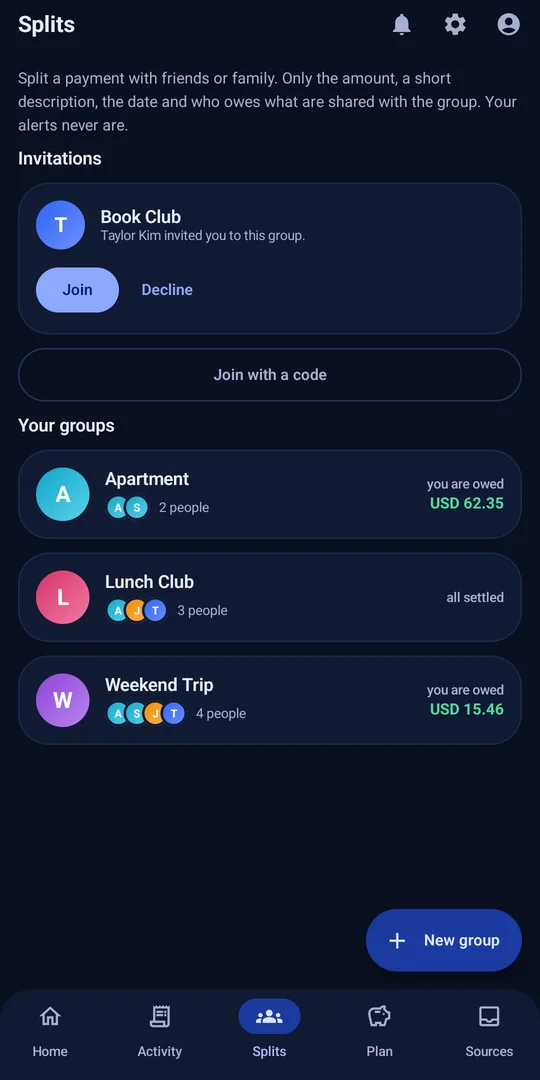
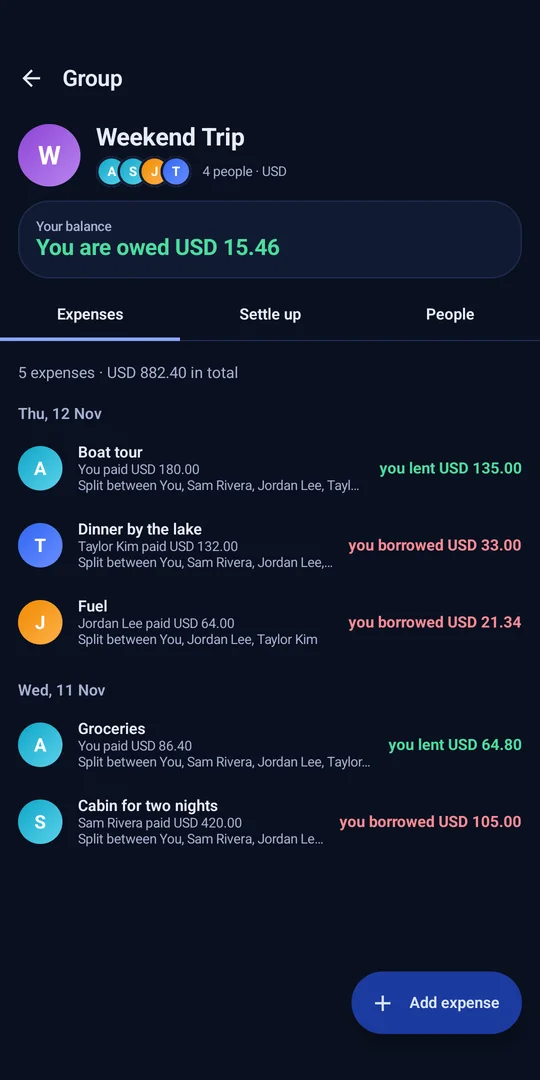
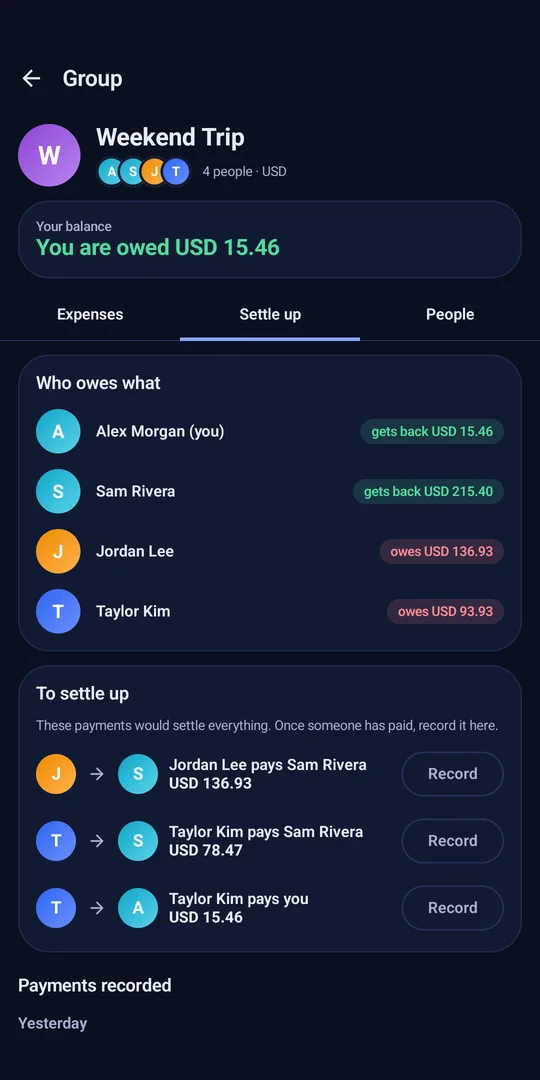
Create a group for a trip, a home or a lunch club. Add expenses, see who owes whom, and settle up in a tap.
Turn on automatic backup once, with a passphrase only you know. MySpend keeps an encrypted copy in your own Google Drive up to date. Lose your phone or remove the app, and you can get everything back.
Create your own categories and tags and give each one an icon and a colour, so your spending looks the way you think about it.
Tell MySpend the name your bank's messages come from, like CITYBANK. When the first message arrives, set it up in a tap, or skip it if it isn't a payment.
Your entries live in an encrypted database on your phone. No ads and no tracking. Back up to your own Google Drive, encrypted.
How it works
Turn on notification access yourself. MySpend explains what it reads and what it never does before you do.
Type the sender name as it shows in your messages app, like CITYBANK. That is all MySpend needs to start.
When it arrives, MySpend tells you. Tap Set up, and from then on payments like it are added for you.
Add budgets, track bills, and start a group when you spend with others.
A look inside
The screens below show sample data.
Splits
Make a group, add what everyone paid, and MySpend works out who owes whom. When you pay each other back, record it and the balances update.
Signing in with Google is only needed for groups. The rest of the app works without it.
Privacy
MySpend is built to need as little of your data as possible.
Entries are stored in an encrypted database on your phone, protected by a key held by Android.
No bank login, no SMS inbox access, no ads and no tracking tools.
Data only leaves your phone when you decide: signing in, adding to a split group, setting up a source, or backing up to your own Drive.
You can delete your account from inside the app. Your data on your phone is yours to clear or uninstall.
Backups are encrypted with a passphrase only you know and saved in your own Google Drive. Turn on automatic backup and they update by themselves.
The privacy policy says exactly what is kept and what is sent, in language you can read.
Questions
No. MySpend never asks for a bank login. It reads payment alerts that already arrive on your phone, only after you allow it.
MySpend uses Android's notification access, which you turn on yourself. It does not use the SMS permission or read your SMS inbox. It ignores notifications from other apps and keeps only the ones from a source you set up.
Your entries are stored in an encrypted database on your phone. Group expenses are stored in the cloud so other members can see them, but only the payment details: never your alerts, balances or other entries.
Yes, if you turn it on. After you sign in with Google, MySpend offers to keep an encrypted copy of your data in your own Google Drive and update it whenever something changes. You choose a passphrase once. If you ever remove the app or lose your phone, sign in again and enter the passphrase to get everything back.
Yes. Add your own categories and tags, and give each one an icon. Built-in categories can be changed too.
No. MySpend works fully without signing in. Signing in with Google is only needed for Google Drive backup and split groups.
You keep all your entries and can add new ones by hand. Automatic entries and a few smart features need Premium. Alerts that arrive meanwhile wait encrypted on your phone for up to 90 days, and are added if you unlock Premium.
You choose your own currency in the app, so it works wherever you are.
In the app, open your profile and choose Delete account. You can also use the account deletion page.
Not yet. MySpend is for Android.